Captain Ratatype
What's new
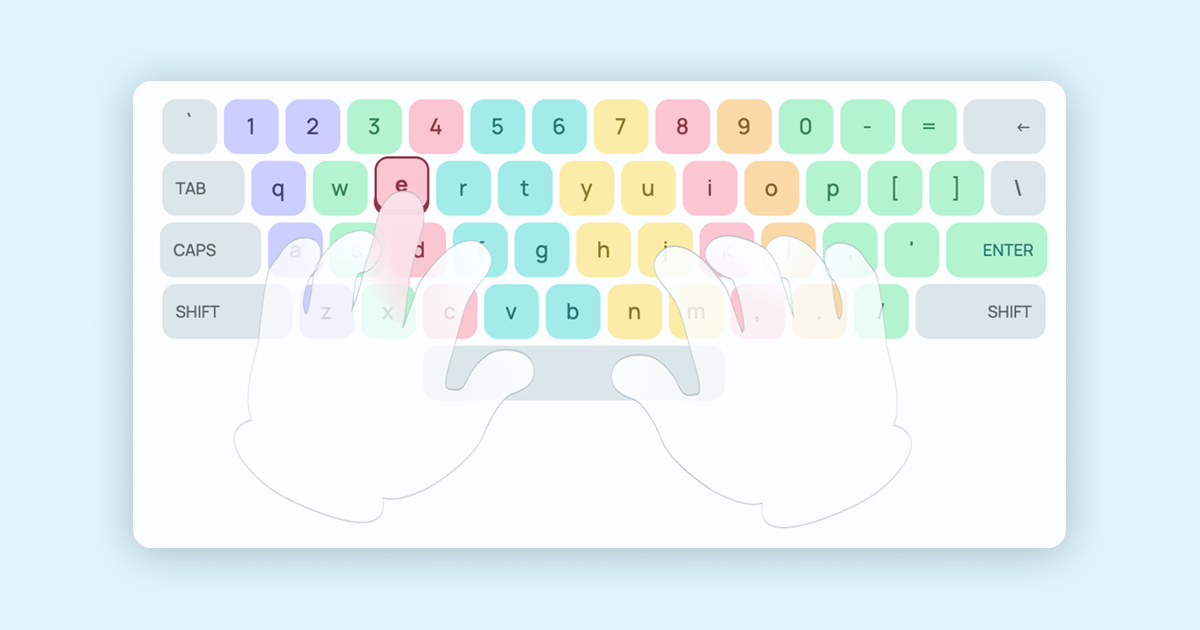
The virtual keyboard on the typing tutor used to show hands too — but they stayed still. That's no longer the case: the hands now move. The fingers curl, lift and travel to whichever key needs pressing at that exact instant — keeping pace with the letters you're typing without looking.
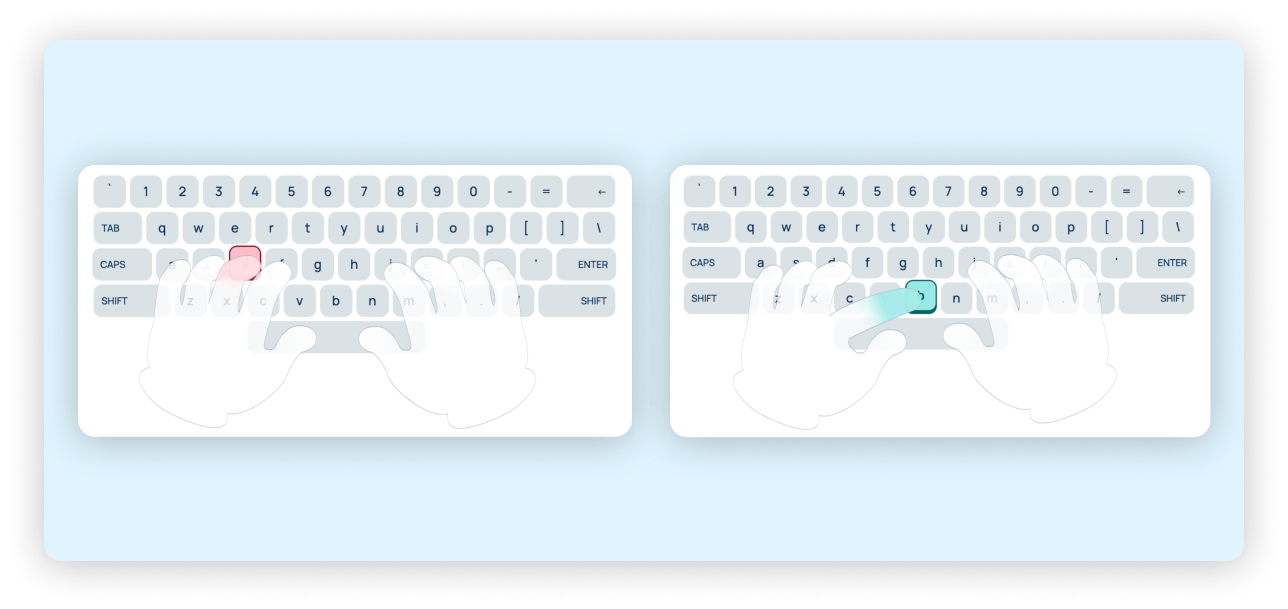
Say the next letter is «Y» — you'll see the left hand's little finger lift away from its resting spot and drop straight onto the right key. As soon as that's done, the hand is already getting ready for its next move. All of this happens live, with no lag whatsoever.

Why it's worth having
Touch typing relies on each finger sticking to its own patch of the keyboard. The trouble is, until that muscle memory kicks in, it's all too easy to forget which finger belongs on which key. In the past, you'd have had to glance away at a separate finger-placement diagram while typing. Now that guidance sits right there on screen as you go.
This is a particular boost for anyone learning to type quickly from scratch: watching the animated hands helps the correct technique sink in from lesson one, rather than letting bad habits creep in unnoticed.
Live on the site now
There's nothing you need to do to switch this on — the moving hands are already there for anyone working through the free lessons on Ratatype's keyboard trainer. Open any lesson and start typing, and the on-screen hands will fall in step with your speed, showing exactly which finger to use for every single keystroke.
It's not just beginners who'll get something out of this — anyone looking to type faster, cut down on mistakes, or simply get their hand position right will find it useful too.
Looking ahead
The Ratatype team is carrying on with the work of making fast-typing lessons as clear and easy to follow as possible. This update to the online keyboard trainer is another move towards a more personalised, interactive way of learning to type, with every part of the interface pulling in the same direction — your progress.
Fancy giving it a go?