 Oleksandra Lietova


Hello everyone, my name is Oleksandra Lietova. I spent six years in marketing and communications at Ukraine's largest job search platform, and now I head up marketing at the educational platform Ratatype. Today, I'd like to share how fast typing can influence your career and why it deserves more attention.
So far, 8 million people have developed their typing skills through our lessons and keyboard games. Our data demonstrates that mastering touch typing delivers a considerable productivity boost, enhancing the speed and accuracy of daily work, rather than merely being a CV add-on.
Let's examine the first reason touch typing matters for your career.
A typing speed certificate instantly makes your CV more competitive for entry-level positions
"What do I put on my CV with no experience?" This was a common question on the job search platform. Many people fret about this at the start of their job hunt. Honestly, it's a tricky question to answer well.
Mention voluntary work, education, courses, and hobbies if relevant. Add a typing speed certificate as well. Getting certified is straightforward; many platforms, like Ratatype, offer quick typing tests and certificates. Simply register, complete the test, and download or print your certificate. This gives you a concrete skill to demonstrate to employers.
This isn't just padding. Many careers value it, from office and admin roles to copywriting, secretarial, or programming positions. Fast, accurate typing is required in government and public sector jobs. We frequently see this in job descriptions. Employers want staff who can manage the written workload.
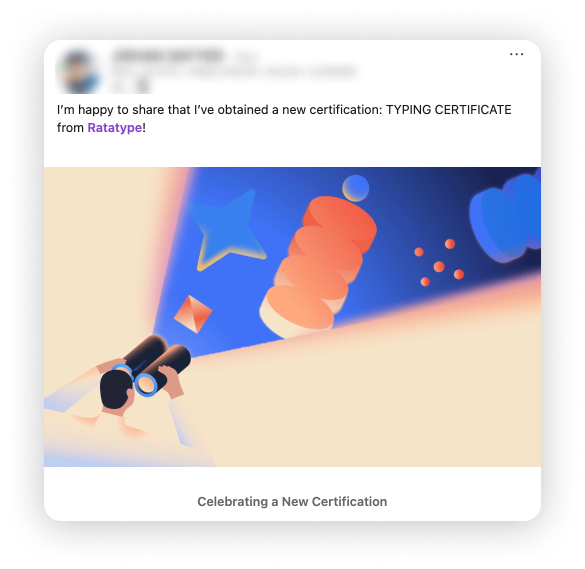
You can also add the certificate to your LinkedIn profile. In a feed full of similar profiles, it's one more specific, verifiable detail that sets you apart and helps you remain visible without saying a word.
Touch typing saves you time and allows you to focus on higher-impact tasks.
We analyzed data from users who play our keyboard games. Just 15 minutes of daily practice can raise typing speed by 8%.
If you take 60 minutes to type a text, our games help you do it in 55. That may seem minor, but if you type for three hours a day, you save 15 minutes per workday. Over a week, you save more than an hour. In a year, you save nearly 8 working days.
And that's just from playing games.
If you also practice on the typing tutor, you can boost your speed by 15% or more, saving up to 20 working days a year. Most people never consider this because typing feels invisible, a skill we rarely question or analyse.
Many think they type quickly but use only two fingers. Fast typing requires all ten. Only then can you type swiftly and reduce mistakes. The two-finger method feels natural, but it slows you down. Using only half your hands limits progress.
Another important benefit relates to your health and comfort at the desk
If, like me, you spend your days at a computer, back pain or headaches may be routine by day's end. Many people stop noticing them. Poor posture is a key reason, but it's easier to sort out than you think. Right now, pause for a moment. How far are your eyes from the monitor? Where are your feet? Flat on the floor or crossed? Is your hand propping up your head?
Proper typing relies on good posture. If you don't know the keys well, you keep glancing down, curving your neck and rounding your shoulders. This habit starts from not knowing your keyboard well enough to type without looking.
Mastering every key and typing without looking can reduce injury risk and improve comfort at your desk.
We've put together a special guide for anyone who wants to master touch typing and avoid the physical discomfort that comes with long hours at a computer. This isn't a minor issue; your body is sending you signals, and touch typing is one of the simplest ways to start listening.
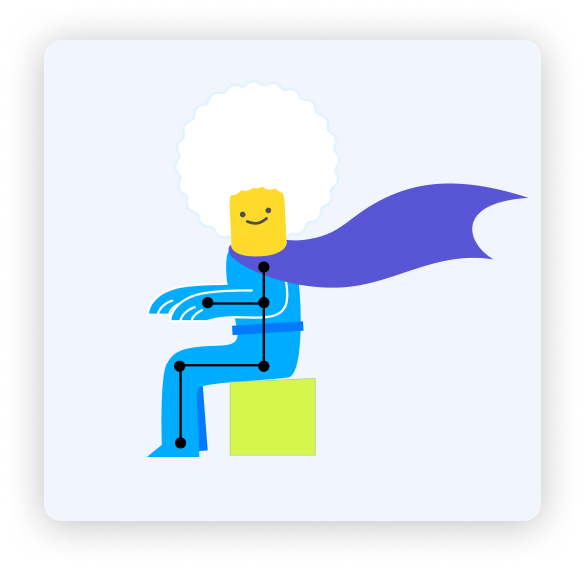
As a quick tip, keep your chair at a height where your feet rest flat on the floor, and your elbows form a 90-degree angle whilst typing. Also, remember to take short breaks every hour to stretch and reset your posture. These small adjustments can make a significant difference to your comfort and long-term health.
Fast typing powers cross-cultural collaboration, enabling smoother, real-time communication between teams
If your company uses a different language, master touch typing in it first. I was born in Ukraine, used to live there, and now work in the UK. I thought my English was strong — I studied for years and used it professionally. But I was slow at typing in English. It was frustrating and held me back more than I expected.
The problem wasn't vocabulary or grammar. My fingers were trained on one language's layout. Everything else felt slow. Emails took twice as long. Slack messages became chores. In a fast-paced office, the gap between thinking and typing is obvious to you and others.
Now that I've mastered touch typing in English, that's no longer an issue. Writing this article didn't take long at all.
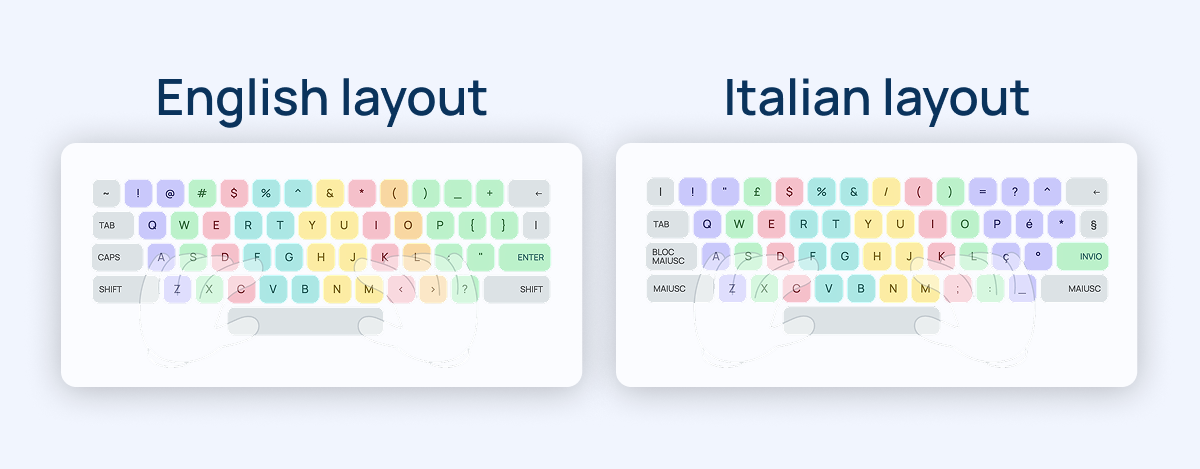
The more languages you know, the more you must practice typing each one. Grammar and alphabet differ. Key layouts do, too. For example, English and Italian keyboards are different. These small changes matter if you want to type quickly.
Touch typing is a lifelong productivity asset that never fades, whatever your career path
Touch typing uses muscle memory, making it different from most work skills. Unlike software certifications, which need refreshing, fast and correct typing lasts for life, no matter how your career changes.
- So even as your professional responsibilities grow and become more complex, you won't waste extra time on typing. You'll have already sorted that problem, quietly, once and for all.
- Reports, documentation, chats, emails, and reviews — they become automatic. The process fades away. You focus on your ideas and data, not searching for keys or correcting typos.
- That mental freedom is underrated. Looking at the keyboard breaks focus, even for a moment. Multiply that by hundreds each day, and the hidden cost adds up over a career.
Touch typing is a career-long asset that pays off from your first application to senior-level positions. Consistent daily practice brings tangible, lasting results.
To get started, visit a typing test website, such as Ratatype. Take a typing test today to see your current speed.
Then, set a clear goal: practice for ten minutes each day this week. By acting now, you'll quickly build momentum and notice improvement in your typing skills.